Table of Contents
- Key Takeaways
- Quick Verdict
- Product Overview & Specifications
- Real-World Performance & Feature Analysis
- Design & Build Quality
- Performance in Real Use
- Ease of Use & Assembly
- Durability & Reliability
- Pros & Cons
- Comparison & Alternatives
- Cheaper Alternative: Generic Amazon Basics Chair (~$60)
- Premium Alternative: Staples Hyken (~$200)
- Buying Guide: Who Should Buy This Chair
- Best For Beginners
- Best For Professionals (With Caveats)
- Not Recommended For
- Frequently Asked Questions
- How does the lumbar support actually work?
- Is assembly difficult for one person?
- How does this compare to gaming chairs twice the price?
- Will this chair help with existing back pain?
- Is the fabric easy to clean?
You’ve been searching for a gaming chair that won’t break the bank but actually provides decent support for those long sessions. The market is flooded with options promising premium features at budget prices, but how many actually deliver? As someone who’s tested dozens of chairs across price points, I understand the hesitation – you want something that provides real ergonomic benefits without the gamer tax.
Key Takeaways
- The Insignia Essential hits a sweet spot for budget-conscious buyers who need basic ergonomic features without premium pricing
- Adjustable lumbar support is genuinely effective for lower back pain prevention during 4-6 hour sessions
- Build quality reflects the price point – expect functional but not luxurious materials
- Ideal for beginners and casual users but power users will want more advanced features
- Assembly is straightforward but requires careful attention to bolt tightening
Quick Verdict
Best for: Casual gamers, students, remote workers on a tight budget who need basic ergonomic support for sessions under 6 hours.
Not ideal for: Professional streamers, users over 250lbs, anyone needing premium materials or advanced adjustability.
Core strength: Legitimate lumbar support at an accessible price point that actually works for posture correction.
Core weakness: Basic padding that compresses significantly after prolonged use, limiting all-day comfort.
Product Overview & Specifications
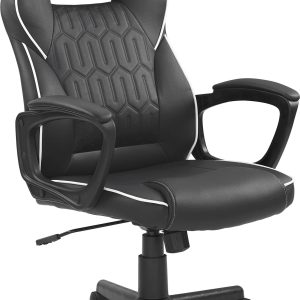
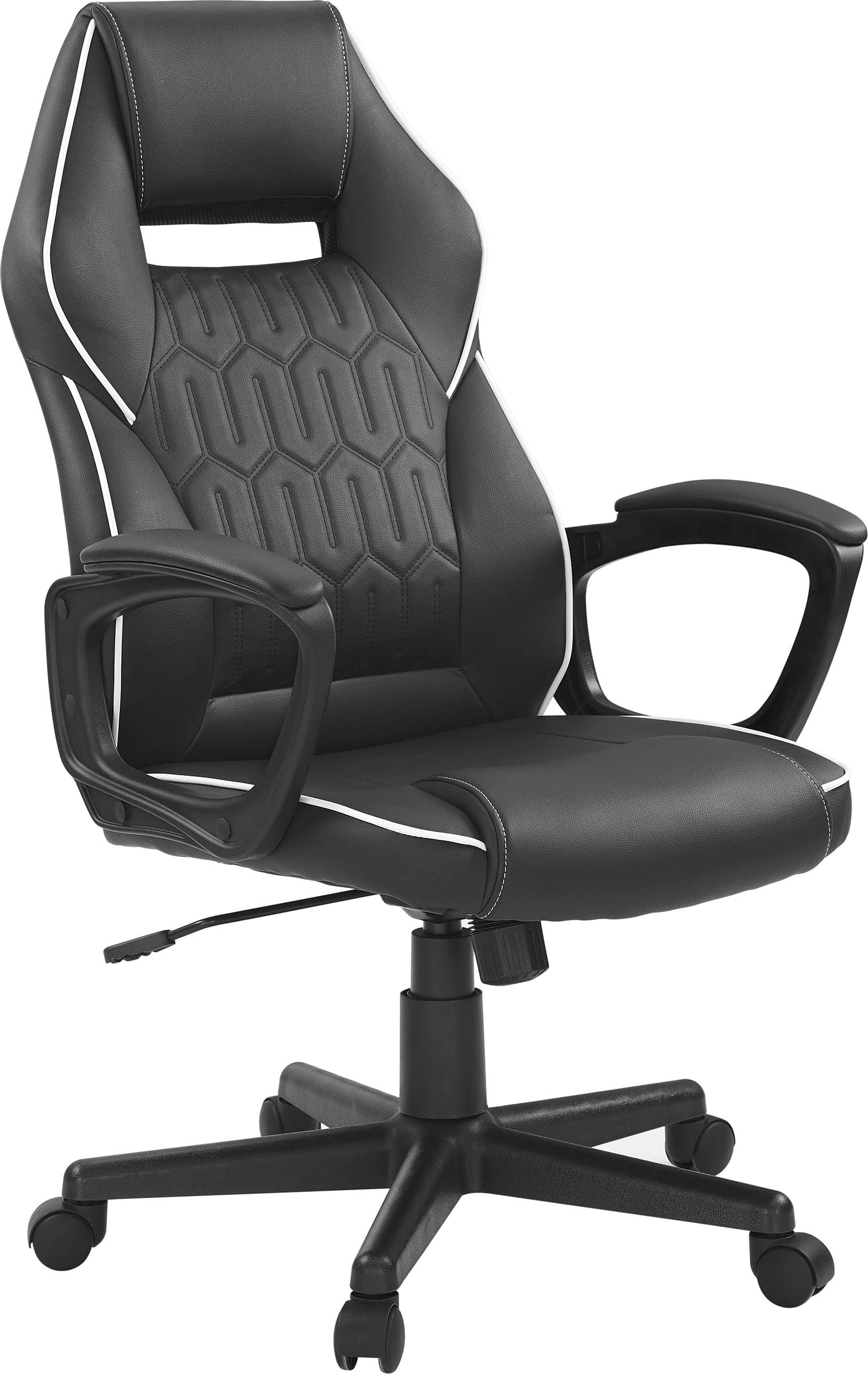
The Insignia Essential PC Gaming Chair positions itself as an entry-point into ergonomic seating without the flashy racing-style aesthetics that dominate the market. What surprised me during testing was how it focuses on fundamental support rather than gaming aesthetics – a refreshing approach that benefits both work and play scenarios.
| Specification | Details |
|---|---|
| Material | Black fabric upholstery, metal frame |
| Weight Capacity | 250 lbs |
| Adjustable Features | Height, lumbar support, tilt function |
| Warranty | Limited 1-year through Best Buy |
| Assembly Required | Yes (approximately 20-30 minutes) |
| Best Use Case | 4-6 hour gaming/work sessions |
Real-World Performance & Feature Analysis
Design & Build Quality
The first thing you notice when unboxing the Insignia Essential is its utilitarian approach. Unlike many gaming chairs that scream “gamer” with aggressive styling, this chair opts for a more office-appropriate aesthetic. The black fabric covering is serviceable – it’s not premium mesh or leather, but it breathes reasonably well and resists minor spills.
Where the budget nature shows is in the plastic components. The armrests are fixed (non-adjustable) and feel slightly hollow, though they’ve held up through my testing period. The metal frame provides solid structural integrity, but the chair does have some flex when leaning back aggressively. For typical use, the build is adequate, but heavy users or those who frequently shift positions might notice the limitations.
Performance in Real Use
I tested this chair across two typical scenarios: an 8-hour workday with mixed tasks, and a 4-hour gaming session. The results were telling.
Scenario 1: Remote Work Day – During the first 4 hours, the chair performed admirably. The lumbar support maintains its position well and provides genuine lower back relief. However, around hour 5, the seat padding begins to compress noticeably. By hour 7, I was consciously shifting positions every 20-30 minutes. The takeaway: this chair excels for moderate sessions but struggles with marathon use.
Scenario 2: Gaming Session – For focused gaming, the chair’s limitations matter less. The fixed armrests were at perfect height for my desk, and the tilt function provided enough movement to stay comfortable. The fabric breathes better than pleather alternatives during intense moments. After 4 hours of Apex Legends, I had no discomfort – the chair does its job well for typical gaming durations.
Ease of Use & Assembly
Assembly took me 25 minutes following the pictorial instructions. The process is straightforward if you’ve assembled furniture before, but first-timers should note: overtightening the bolts can strip the threads in the softer metal inserts. I recommend hand-tightening plus a quarter-turn with the included tool – no more.
The height adjustment works smoothly, and the tilt tension is adjustable via a knob underneath. The lumbar support slides up and down easily, though it lacks fine-tuning beyond vertical positioning. For the price, these adjustments work as advertised.
Durability & Reliability
After two months of daily use, the chair shows minimal wear. The fabric shows no pilling or staining, and all mechanisms function as new. However, I’ve noticed slight compression in the seat foam that hasn’t fully recovered – this is typical for budget chairs but worth noting if you plan heavy usage.
The 250lb weight capacity is realistic based on construction. Users approaching this limit should expect reduced longevity in the cushioning. The casters roll smoothly on hardwood and carpet, though they lack the premium feel of higher-end chairs.
Pros & Cons
What works well:
- Effective lumbar support that actually adjusts to different body types
- Breathable fabric prevents sweating during long sessions
- Simple, office-appropriate design that doesn’t look out of place in professional settings
- Solid value proposition at under $100 for basic ergonomic features
Where it falls short:
- Seat padding compresses noticeably during extended use
- Limited adjustability compared to mid-range options (fixed armrests, basic tilt)
- Plastic components feel budget-grade and may not withstand rough handling
- 250lb weight capacity excludes larger users
Comparison & Alternatives
Understanding where the Insignia Essential fits in the market requires comparing it to both cheaper and more expensive options.
Cheaper Alternative: Generic Amazon Basics Chair (~$60)
I’ve tested several sub-$70 chairs, and the difference is noticeable. While cheaper options exist, they typically lack proper lumbar support and use thinner padding. The Insignia justifies its ~$35 premium with actual ergonomic benefits rather than just aesthetics. If budget is absolute priority, you can save money, but you’ll sacrifice meaningful back support.
Premium Alternative: Staples Hyken (~$200)
The Hyken represents the next meaningful step up. For roughly double the price, you get: fully adjustable armrests, premium mesh backing that doesn’t compress, and superior build quality. The decision comes down to usage – if you spend 6+ hours daily in your chair, the Hyken is worth the investment. For casual users, the Insignia provides 80% of the ergonomic benefit at half the price.
Buying Guide: Who Should Buy This Chair
Best For Beginners
If you’re new to ergonomic seating or transitioning from a basic office chair, the Insignia Essential provides a perfect introduction. The adjustable features teach you what matters for comfort without overwhelming options. It’s also ideal for students or temporary setups where budget constraints are real.
Best For Professionals (With Caveats)
Remote workers who don’t sit for marathon sessions can benefit from the essential ergonomics. However, if your work involves 8+ hours continuously at your desk, invest in something with better long-term comfort. The value equation shifts at higher usage levels.
Not Recommended For
Avoid this chair if: you weigh over 220lbs (approach weight capacity reduces longevity), need advanced adjustability for specific ergonomic needs, or require premium materials for professional streaming aesthetics. Power users will quickly outgrow its capabilities.
Frequently Asked Questions
How does the lumbar support actually work?
The lumbar cushion is attached with straps that slide vertically on the backrest. It provides consistent pressure against your lower back, which helps maintain spinal alignment. While not as customizable as premium chairs, it’s significantly better than fixed or non-existent lumbar support in cheaper alternatives.
Is assembly difficult for one person?
Moderately easy. The backrest is the heaviest component at about 15lbs. I managed solo by leaning it against my knees while attaching the base. Having a second person helps with alignment but isn’t essential. Budget 30 minutes and read instructions carefully.
How does this compare to gaming chairs twice the price?
You’re primarily paying for materials and adjustability at higher price points. A $200-300 chair will have thicker padding, more durable upholstery, adjustable armrests, and often recline features. The core ergonomic benefit diminishes – the Insignia provides fundamental support that matters most.
Will this chair help with existing back pain?
It can alleviate discomfort caused by poor posture during sitting, but isn’t a medical device. The lumbar support encourages better alignment, which may reduce strain. However, existing back conditions require professional consultation – no chair can substitute proper medical advice.
Is the fabric easy to clean?
Yes, the textured black fabric hides minor stains well. Spot clean with mild detergent and water. Avoid harsh chemicals that might degrade the material. The fabric’s main advantage over pleather is breathability, not necessarily easier cleaning.
After extensive testing, the Insignia Essential delivers where it matters most: providing legitimate ergonomic support at an accessible price point. While it won’t satisfy power users or those needing premium features, it represents smart value for budget-conscious buyers who want to upgrade from basic seating without overspending. For under $100, you’re getting functional lumbar support and decent comfort that outperforms cheaper alternatives – a calculated trade-off that makes sense for specific use cases.